
The compact computing market is no longer a niche. In 2026, the Mini PC has become the logical answer to the obsolescence of massive towers. But this popularity comes at a price: market saturation where the best rubs shoulders with the mediocre. Buying a Mini PC today isn’t just about picking a processor; it’s about choosing a balance between thermals, acoustics, and durability.
Here is our full analysis to ensure you don’t regret your investment.
The Processor: Don’t Fall into the Nomenclature Trap
This is marketing’s favorite playground. Between Intel and AMD, the war of numbers is raging, but what do they really mean?
- The AI Mirage (NPU): You are being sold “AI-Ready” chips. Let’s be clear: unless you are developing your own language models or using specific local image processing tools daily, the NPU (Neural Processing Unit) will remain idle 99% of the time. Be careful not to pay an excessive premium for technology you don’t yet use.
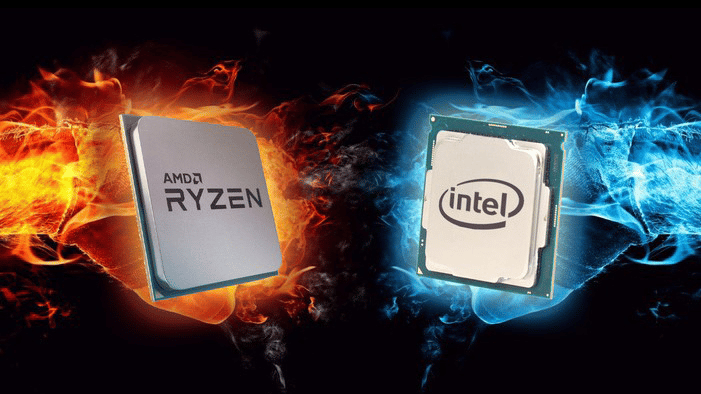
- AMD vs. Intel: In 2026, for the Mini PC format, AMD maintains a lead in efficiency. Their Ryzen™ processors generate less heat for the same power—a crucial factor when dissipation space is limited.
- The “Refresh” Versions: Watch out for “latest generation” processors that are merely renamed versions of the previous year’s chips. A slightly older chip that is better thermally integrated will always perform better than a brand-new CPU that throttles due to heat.
Thermals and Acoustics: The Secret of Durable Machines
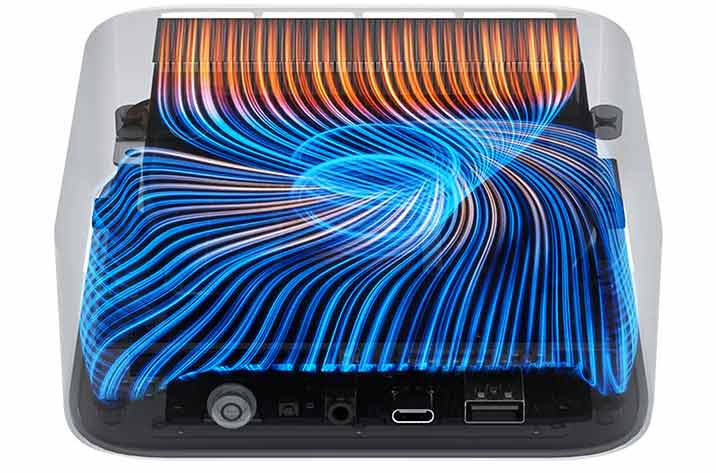
This is where the difference between a plastic “toy” and a professional tool is made. A powerful processor is worthless if it is throttled by heat (thermal throttling). The hotter a processor runs, the faster it ages. A good cooling system should prevent the processor from exceeding 80-85°C.
- The Vapor Chamber: The best Mini PCs currently are moving away from simple aluminum heatsinks in favor of vapor chambers. This system spreads heat instantly over a large surface area. Our Serenity range is equipped with vapor chamber cooling.
- Silence as a Luxury: Good cooling allows the fan to spin slower, and therefore more quietly. Contrary to popular belief, performance remains identical whether the case is made of plastic, metal, or wood, provided the internal engineering is sound. At SixWood, we use proven technical bases (such as Beelink’s) that guarantee optimal airflow, allowing the wood to act as acoustic insulation without compromising component longevity.
A Note on Passive Cooling: Some models offer total silence without a fan (fanless). This is ideal for an audio server or light office use, but for intensive creation or multitasking, high-quality active cooling (with a fan) remains essential to maintain performance. Fanless models are therefore very limited in their scope of use.
Upgradability and Maintenance: Don’t Be Locked In
One of the biggest criticisms of laptops and machines from a certain “fruit” brand is their disposable nature: everything is soldered, or the warranty is void if you open the machine. In 2026, a serious Mini PC must be a durable investment.
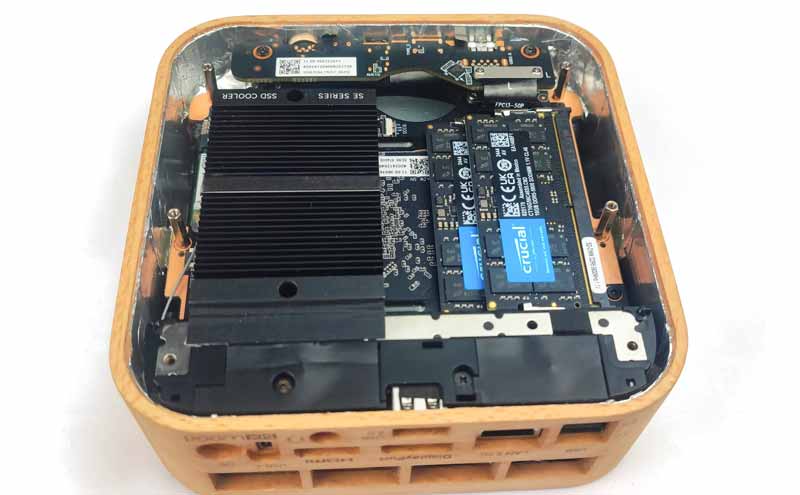
- RAM Beyond Standards: For professional use (virtualization, 8K video editing, heavy computing), capacity is king. Machines like the SixWood Serenity can now support up to 256GB of dual-channel RAM. It’s an insurance policy for the next five years.
- Dual Storage: A single SSD is no longer enough. The current standard is to provide a primary M.2 NVMe slot for the system and a second free slot. This allows you to expand storage without reinstalling your entire environment, or to create a physical backup mirror. The vacant M.2 slot also allows for the connection of an Oculink adapter, enabling you to plug in an external graphics card (eGPU).
- Accessibility: A good Mini PC can be disassembled with just a few screws. Dust is the enemy of electronics; being able to clean your fan after two years of use is what makes your machine last ten years instead of three. Models like the SixWood Serenity are equipped with a dust filter to reduce internal buildup.
Connectivity: Your Desk’s Nerve Center
A compact Mini PC shouldn’t mean a forest of dongles and adapters.
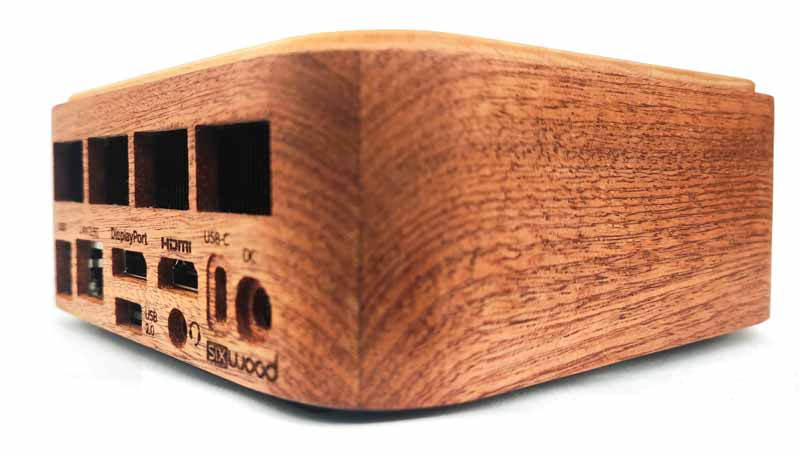
- 40Gbps USB-C: USB-C is now universal. In its fastest version, it allows you to connect a single dock to manage two 4K screens, your network, and all your peripherals.
- Multi-Monitor Setup: In 2026, the standard is triple or quadruple displays. Check for HDMI 2.1 and DisplayPort 1.4 ports, as well as 40Gbps USB-C, to guarantee a smooth refresh rate (120Hz or more), essential for reducing eye strain.
Networking: Should You Leap for 10G?
Wired connectivity has made a giant leap. While the 1Gbps Ethernet port is a thing of the past, the standard has stabilized at 2.5G LAN, which equips most of our machines. This is the ideal speed to take full advantage of current fiber optic offers.
But what about 10G (10 Gigabits)? Let’s be objective: for office use, even intensive, it is overkill. However, for creatives working directly on 4K or 8K video files stored on a server (NAS), or for engineers handling massive databases, 10G is a revolution. It removes latency and turns your local network into an ultra-fast virtual hard drive. At SixWood, we integrate 2.5G as standard, but we keep an eye on tomorrow’s needs for those who refuse to compromise on transfer speeds. Finally, note that in practice and in 90% of cases, 2.5G is more than enough. 10G requires extremely expensive and often noisy network equipment (switches with loud fans, Cat6a/7 cables).
Consumption and Portability: The “All-Terrain” Computer
One of the often-underestimated advantages of the Mini PC is its low power consumption. Where a classic tower consumes between 200W and 600W, a high-performance Mini PC often peaks around 60W to 90W under full load. Over a year of professional use, the savings on the electricity bill are real.
Furthermore, this compactness offers unprecedented mobility. Changing offices? Working between two homes? The Mini PC slips into a backpack. Simply plug it into any screen to find your full workspace, with power that a laptop of the same price could never match due to battery constraints.
Aesthetics: Why Refuse Standardization?
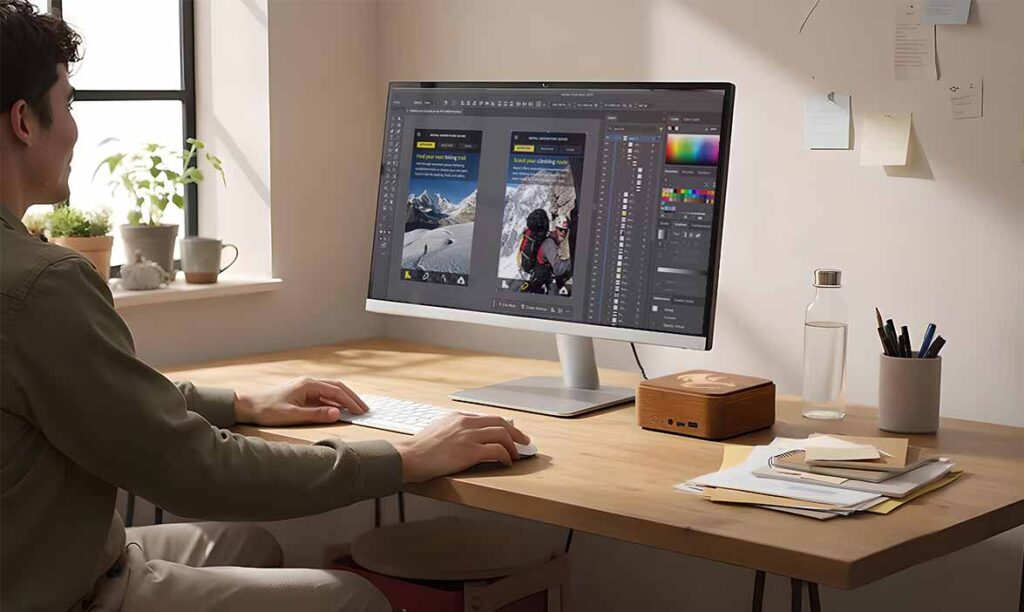
This is where the choice becomes philosophical. We spend an average of 8 hours a day in front of our work tools. Why accept that this tool should be a block of gray plastic or cold metal, produced in millions of identical copies?
- The “Sheep” Syndrome: The market is flooded with industrial cases that all look alike. Choosing a standard Mini PC means accepting that your technology is disconnected from your living environment.
- Material as Distinction: Solid wood is not just an aesthetic choice; it is a choice of texture and warmth. Unlike metal which shows fingerprints or plastic which eventually creaks, wood develops a patina.
- Ultimate Personalization: At SixWood, we push this logic to its limit. The top plate is not just a piece of wood; it is a canvas. We offer custom “wood-on-wood” inlays. Whether it is a geometric pattern, a logo, or a client creation, your PC becomes a unique piece.
Conclusion: The Choice of Reason and Heart
Choosing a Mini PC in 2026 is a rational choice: space-saving, silent, energy-efficient, and high-performance. But choosing a wooden Mini PC adds a human and sustainable dimension.
Don’t be confined by the purely marketing-driven perspectives of industry giants. Look for the machine that combines an irreproachable technical base (like the Beelink architecture) and an envelope that respects your interior and your personality.des géants de l’industrie. Cherchez la machine qui combine une base technique irréprochable (comme l’architecture Beelink) et une enveloppe qui respecte votre intérieur et votre personnalité.